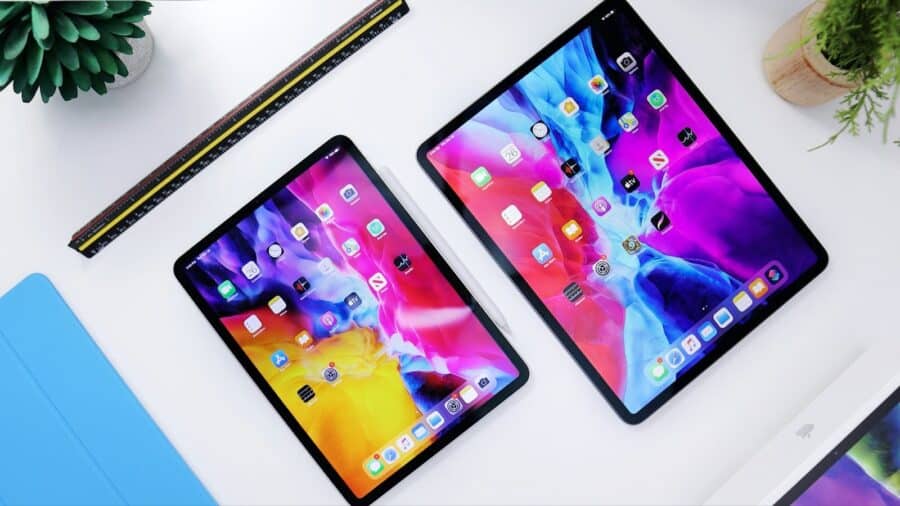
In today’s digital age, purchasing an iPad online has become the norm rather than the exception. With e-shop scams rising by 790% in the first quarter of 2025 compared to the same period in 2024, many consumers are rightfully concerned about the safety of online purchases, especially for high-value electronics like iPads. The good news is that buying iPads online can be completely safe when you know what to look for and follow proper precautions.
The Current State of Online iPad Shopping
Apple’s iPad remains one of the most popular tablets globally, making it a frequent target for scammers and counterfeiters. However, legitimate online retailers have implemented robust security measures and buyer protection programs that make online iPad purchases safer than ever before. The key is knowing how to distinguish between trustworthy sellers and potential scams.
Pros of Buying iPads Online
1. Convenience and Accessibility
Online shopping offers unparalleled convenience, allowing you to browse, compare, and purchase iPads from the comfort of your home. You can shop 24/7, avoiding crowded stores and long lines, which is particularly valuable during busy shopping seasons.
2. Better Pricing and Deals
Online retailers frequently offer competitive pricing and exclusive deals that may not be available in physical stores. Amazon and Best Buy are go-to retailers for iPad deals, often providing prices that brick-and-mortar stores cannot match. You can easily compare prices across multiple retailers to ensure you’re getting the best deal.
3. Wider Selection and Availability
Online stores typically maintain larger inventories and offer more configuration options than physical stores. This is particularly important for iPads, where storage capacity, color choices, and connectivity options (Wi-Fi vs. cellular) can significantly impact your experience.
4. Detailed Product Information and Reviews
Online retailers provide comprehensive product specifications, high-resolution images, and customer reviews that help you make informed decisions. You can research the exact iPad model you want and read real user experiences before purchasing.
5. Flexible Return Policies
Most reputable online retailers offer generous return policies, often more flexible than physical stores. Many provide 30-day or longer return windows, allowing you to test the iPad and ensure it meets your needs.
6. Enhanced Security Features
Modern e-commerce platforms employ advanced security measures, including encrypted transactions, fraud detection systems, and secure payment processing. Many also offer additional buyer protection programs.
Cons of Buying iPads Online
1. Risk of Counterfeit Products
The online marketplace has seen an increase in counterfeit iPads, particularly from unauthorized sellers. These fake devices may look similar to genuine iPads but lack proper functionality, safety certifications, and warranty coverage.
2. Shipping Delays and Damage Risk
Online purchases require shipping, which introduces potential delays and risks of damage during transit. While most retailers package items carefully, expensive electronics can occasionally arrive damaged.
3. No Physical Inspection Before Purchase
Unlike in-store shopping, you cannot physically examine the iPad before buying. This means you cannot test the screen quality, button responsiveness, or overall build quality until after delivery.
4. Potential for Scams and Fraud
Thousands of fake websites are mimicking trusted stores like Apple, creating sophisticated scam operations designed to steal payment information. These sites often feature professional designs that can fool unsuspecting buyers.
5. Complicated Returns Process
Returning items online typically requires packaging, shipping, and waiting for processing, which can be more time-consuming than simply returning to a physical store.
6. Identity Theft and Data Security Risks
Online purchases require sharing personal and financial information, which could potentially be compromised if the retailer’s security is breached or if you accidentally shop on a fraudulent website.
Safe Online Retailers for iPad Purchases
Official Apple Store Online
The safest place to buy iPads online is directly from Apple’s official website. Apple offers:
- Guaranteed authentic products
- Full manufacturer warranty
- Educational discounts for students and teachers
- Trade-in programs for older devices
- AppleCare+ protection plans
- Free shipping and returns
Amazon (Sold by Amazon)
Amazon is an Authorized Apple Dealer, making it safe to buy new Apple products when sold directly by Amazon. Look for “Sold by Amazon” and “Ships from Amazon” indicators. Amazon offers:
- Competitive pricing and frequent deals
- Fast Prime shipping options
- Robust return policy
- Customer service support
- A-to-Z Guarantee buyer protection
Best Buy
Best Buy is another trusted retailer for iPad purchases, offering:
- Apple-trained Geek Squad support
- Price matching policies
- In-store pickup options
- Extended warranty programs
- Same-day services for technical support
Other Reputable Retailers
Additional trustworthy options include:
- Target: Offers competitive pricing and frequent promotions
- Walmart: Often provides good deals on current and previous-generation iPads
- Costco: Excellent return policy and occasional member-exclusive deals
- B&H Photo: Professional retailer with comprehensive product information
Red Flags to Avoid When Shopping Online
1. Unrealistic Pricing
Be extremely cautious of iPad deals that seem too good to be true. Scammers often use unrealistic discounts to entice shoppers, such as offering the latest iPad Pro for 70% off retail price.
2. Suspicious Website Characteristics
Watch out for:
- Poor website design and navigation
- Multiple spelling and grammar errors
- Missing contact information or physical address
- Recently registered domain names
- Lack of SSL certificates (no “https” in the URL)
3. Questionable Payment Methods
Legitimate retailers accept standard payment methods like credit cards and PayPal. Be wary of sellers who:
- Only accept wire transfers, gift cards, or cryptocurrency
- Request payment through unusual methods
- Ask for personal information beyond what’s necessary for the transaction
4. Fake Reviews and Social Proof
Scammers often create fake reviews using bots or paid reviewers. Be suspicious of:
- Reviews that all sound similar or overly positive
- Products with only 5-star reviews
- Reviews posted on the same dates
- Vague or generic review content
5. Third-Party Marketplace Sellers
While platforms like Amazon host third-party sellers, be cautious when buying from unfamiliar sellers, especially for high-value items like iPads. Some risks include:
- Receiving used iPads sold as new
- Counterfeit products
- Poor customer service
- Complicated return processes
Essential Security Measures for Safe Online iPad Shopping
1. Verify Website Authenticity
Before making any purchase:
- Type the retailer’s official website URL directly into your browser
- Check for secure connections (https://) and valid SSL certificates
- Verify the website’s contact information and physical address
- Look up the company’s Better Business Bureau rating
2. Use Secure Payment Methods
Protect your financial information by:
- Using credit cards instead of debit cards (better fraud protection)
- Utilizing PayPal or other secure payment services
- Avoiding auto-fill features for payment information
- Never sharing more information than necessary
3. Shop from Secure Networks
Consumer Reports recommends shopping from secure Wi-Fi networks rather than public Wi-Fi. If you must shop on public networks:
- Use a VPN (Virtual Private Network)
- Avoid accessing sensitive financial information
- Consider using your phone’s mobile hotspot instead
4. Keep Your Device Secure
Ensure your shopping device is protected:
- Keep your browser and operating system updated
- Use reputable antivirus software
- Enable automatic security updates
- Log out of accounts after shopping
5. Monitor Your Accounts
After making online purchases:
- Check your credit card and bank statements regularly
- Set up account alerts for unusual activity
- Review your Apple ID account for unauthorized purchases
- Keep records of all transactions and confirmations
How to Verify iPad Authenticity After Purchase
1. Check Serial Numbers
Every genuine iPad has a unique serial number that you can verify:
- Find the serial number in Settings > General > About
- Visit Apple’s Check Coverage website to verify authenticity
- Ensure the serial number matches the packaging
2. Examine Build Quality
Authentic iPads feature:
- High-quality materials and precise construction
- Crisp, clear displays with accurate colors
- Responsive touch interfaces
- Proper Apple branding and logos
3. Test Functionality
Verify that all features work properly:
- Wi-Fi and cellular connectivity (if applicable)
- Camera and microphone quality
- App Store access and app downloads
- Face ID or Touch ID functionality
4. Confirm Warranty Status
Check with Apple to ensure:
- The device is covered under warranty
- The warranty start date aligns with your purchase
- No previous warranty claims or repairs
What to Do If You Encounter Problems
If You Suspect a Scam
- Stop the transaction immediately
- Contact your bank or credit card company
- Report the incident to relevant authorities
- Document all communications and evidence
- Warn others by reporting to scam databases
If You Receive a Counterfeit iPad
- Do not attempt to use the device
- Contact the seller immediately for a refund
- Dispute the charge with your payment provider
- Report the counterfeit to Apple and relevant authorities
- Leave honest reviews to warn other buyers
If Your Information Is Compromised
- Change passwords for all online accounts
- Monitor credit reports for suspicious activity
- Contact credit bureaus to place fraud alerts
- Consider identity theft protection services
- File reports with law enforcement if necessary
iPad-Specific Security Considerations

Software Updates and Support
Apple provides security updates for iPads for approximately 6-7 years, but older models may become security risks when support ends. When buying iPads online:
- Choose current or recent-generation models
- Avoid iPads that no longer receive security updates
- Consider the remaining support lifespan in your purchase decision
Activation Lock and Find My
Always ensure any used or refurbished iPad:
- Does not have Activation Lock enabled
- Has been properly reset by the previous owner
- Can be set up with your Apple ID without issues
The Future of Online iPad Shopping Security
As technology evolves, online shopping security continues to improve. Emerging trends include:
Enhanced Authentication Methods
- Biometric payment authentication
- Multi-factor authentication for high-value purchases
- Advanced fraud detection using AI and machine learning
Blockchain and Digital Certificates
- Immutable product authenticity verification
- Transparent supply chain tracking
- Digital ownership certificates
Improved Consumer Protection
- Stronger regulations for online marketplaces
- Enhanced buyer protection programs
- Better international cooperation against fraud
Making the Right Decision for Your Needs
The decision to buy an iPad online should be based on your individual circumstances, risk tolerance, and shopping preferences. Consider these factors:
Choose Online Shopping If You:
- Value convenience and competitive pricing
- Are comfortable with technology and security measures
- Have experience with online shopping
- Want access to the widest selection of models and configurations
- Prefer to research thoroughly before purchasing
Consider In-Store Shopping If You:
- Want to physically examine the device before buying
- Prefer immediate gratification and same-day pickup
- Need hands-on technical support or setup assistance
- Are uncomfortable with online security risks
- Want to trade in an old device immediately
Online iPad Shopping Can Be Safe
Buying iPads online is generally safe when you follow proper precautions and choose reputable retailers. The benefits of convenience, competitive pricing, and wider selection often outweigh the risks for most consumers. The key is to remain vigilant, shop from trusted sources, and implement proper security measures.
Remember that Apple’s ecosystem provides additional security layers that make iPads inherently more secure than many other devices. Combined with smart shopping practices and the buyer protection offered by reputable retailers, online iPad purchases can be both safe and rewarding.
By following the guidelines outlined in this article, you can confidently navigate the online marketplace and find the perfect iPad for your needs while protecting yourself from scams and fraudulent activities. The digital world offers incredible convenience and opportunities – with the right knowledge and precautions, you can take full advantage of them safely.
Whether you’re a first-time buyer or upgrading from an older model, understanding both the opportunities and risks of online iPad shopping empowers you to make informed decisions that protect both your finances and your digital security. Stay informed, stay cautious, and enjoy the benefits of secure online shopping.