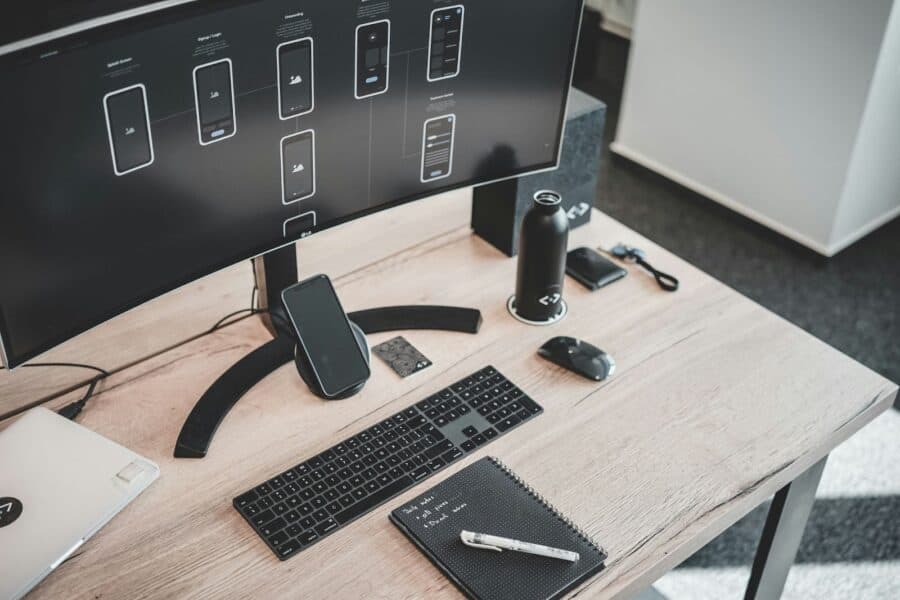

The modern home office has evolved far beyond a simple desk and computer setup. As remote work becomes increasingly prevalent, professionals are discovering that the right gadgets can dramatically improve productivity, comfort, and work-life balance. According to the Bureau of Labor Statistics, over 35% of American workers now have the option to work from home, making home office optimization more important than ever.
While you probably already have the basics covered—computer, desk, chair—there’s a world of innovative gadgets that can transform your workspace from functional to phenomenal. These aren’t just tech toys; they’re productivity tools that address real workplace challenges you might not even realize you have.
1. Document Camera with Wireless Connectivity

Why You Need It: In our digital-first world, we sometimes forget that physical documents still exist. Whether you’re reviewing contracts, sharing handwritten notes during video calls, or digitizing important papers, a document camera eliminates the hassle of scanning and emailing.
What It Does: Modern document cameras like the IPEVO V4K Ultra High Definition capture crisp images and video of documents, 3D objects, and even live demonstrations. The wireless connectivity allows you to share content instantly during video conferences or save directly to cloud storage.
Shopping Tips: Look for models with at least 8MP resolution and built-in LED lighting. The Consumer Technology Association recommends choosing devices with multiple connectivity options (USB, Wi-Fi, and HDMI) for maximum versatility.
Best Places to Buy: Amazon, B&H Photo, and Best Buy offer competitive pricing and reliable customer service for document cameras. Prices typically range from $150-$400 depending on features.
Pro Tip: Many users don’t realize these cameras can also function as webcams, providing superior image quality for video calls compared to built-in laptop cameras.
2. Wireless Charging Station with Multiple Device Support
Why You Need It: Cable clutter is the enemy of a clean, productive workspace. A quality wireless charging station eliminates the tangle of charging cables while ensuring your devices are always powered up.
What It Does: Advanced wireless charging stations can simultaneously charge your smartphone, smartwatch, and wireless earbuds without any cables. Some models even include USB ports for devices that don’t support wireless charging.
The Science: According to IEEE standards, modern wireless charging uses electromagnetic induction to transfer power efficiently, with newer models achieving up to 15W fast charging speeds.
Shopping Considerations: Look for Qi-certified stations that support multiple device types. Stations with cooling fans prevent overheating during fast charging sessions.
Recommended Retailers: Apple Store, Samsung, and Anker’s official stores offer certified products with warranties. Third-party options on Amazon can provide good value but check for proper safety certifications.
Hidden Benefit: Many users discover that having a designated charging spot helps them maintain better phone boundaries during work hours, improving focus.
3. Automatic Sit-Stand Desk Converter with Memory Settings
Why You Need It: The health risks of prolonged sitting are well-documented by the Mayo Clinic, including increased risk of cardiovascular disease and metabolic issues. However, manually adjusting desk height throughout the day often gets forgotten in busy work schedules.
What It Does: Programmable sit-stand converters with memory settings automatically remind you to change positions and can instantly switch between your preferred sitting and standing heights at the touch of a button.
Health Impact: Research published by the American Heart Association shows that alternating between sitting and standing every 30-60 minutes can significantly improve circulation and reduce fatigue.
Features to Look For: Memory presets (at least 3 positions), smooth electric motors, weight capacity of at least 50 pounds, and collision detection for safety.
Where to Shop: Ergonomic specialty retailers like Fully, UPLIFT Desk, and FlexiSpot offer the widest selection. Office supply stores like Staples and OfficeDepot provide good mid-range options.
Surprising Discovery: Many users find that the automatic reminders help them develop better posture habits even when away from their desk.
4. Smart Noise Machine with App Control and Sleep Data
Why You Need It: Home offices often lack the acoustic privacy of traditional offices. Background noise from family members, neighbors, or street traffic can severely impact concentration and video call quality.
What It Does: Advanced noise machines create customizable soundscapes that mask distracting noises while promoting focus. Smart models can adjust automatically based on ambient noise levels and sync with your calendar to create optimal audio environments for different types of work.
The Science Behind It: Harvard Medical School research indicates that consistent background noise can improve concentration by masking sudden sound interruptions that break focus.
Key Features: Look for machines with natural sounds, white/brown/pink noise options, timer functions, and smartphone app control. Some models integrate with sleep tracking to optimize your work-from-home schedule.
Best Shopping Sources: Amazon and Target offer wide selections, while specialty retailers like Brookstone focus on premium audio quality. Prices range from $50-$200.
Unexpected Benefit: Many users find that their family members also benefit from the improved acoustic environment, leading to fewer household disruptions.
5. Portable Monitor with USB-C Power Delivery
Why You Need It: Screen real estate directly correlates with productivity, but traditional external monitors require dedicated desk space and multiple cables. Portable monitors solve this problem without compromising functionality.
What It Does: Modern portable monitors connect via a single USB-C cable that provides both video signal and power. They’re perfect for creating dual-monitor setups when traveling, working from different locations in your home, or when desk space is limited.
Productivity Research: Studies by New York University show that dual-monitor setups can increase productivity by up to 42% for certain tasks, particularly those involving data comparison or multitasking.
Technical Specifications: Look for 15-17 inch displays with at least 1080p resolution, USB-C connectivity, and built-in kickstands. Some models offer touchscreen functionality and can rotate between landscape and portrait orientations.
Shopping Strategy: ASUS, LG, and Lenovo offer reliable options through their official stores and major retailers. Check for compatibility with your specific laptop model before purchasing.
Hidden Advantage: These monitors are also excellent for presentations, allowing you to share screens more easily during client meetings or team collaborations.
6. Smart Air Quality Monitor with Automated Responses
Why You Need It: Indoor air quality significantly impacts cognitive function and overall health, but it’s invisible to our senses until problems become severe. Home offices, especially in basements or rooms without adequate ventilation, can develop air quality issues that reduce productivity.
What It Does: Smart air quality monitors track particulates, CO2 levels, humidity, and temperature in real-time. Advanced models can automatically trigger air purifiers, humidifiers, or smart home systems to maintain optimal conditions.
Health Evidence: The Environmental Protection Agency reports that indoor air can be 2-5 times more polluted than outdoor air, directly affecting concentration, energy levels, and long-term health.
Features to Prioritize: Real-time monitoring of multiple factors, smartphone alerts, integration with smart home systems, and historical data tracking. Some models provide personalized recommendations based on your specific sensitivities.
Where to Purchase: Specialized retailers like Dyson and Honeywell offer comprehensive solutions, while Amazon provides a wide range of price points from $100-$500.
Surprising Insight: Many users discover that simple changes like opening windows or adjusting humidity levels can dramatically improve their daily energy and focus.
7. Wireless Presentation Remote with Laser Pointer and Timer
Why You Need It: Even in home offices, presentations are a regular part of professional life. Whether conducting webinars, client meetings, or team presentations, a quality presentation remote provides professional polish and practical functionality.
What It Does: Modern presentation remotes offer slide control, laser pointers, built-in timers, and even air mouse functionality. Some models include vibrating alerts to help you stay on schedule during important presentations.
Professional Impact: According to Toastmasters International, professional presentation tools significantly improve speaker confidence and audience engagement, leading to better career outcomes.
Advanced Features: Look for models with green laser pointers (more visible than red), programmable buttons, gyroscopic air mouse capabilities, and compatibility with multiple presentation software platforms.
Shopping Recommendations: Logitech dominates this category with reliable options available through major electronics retailers. Professional-grade options from Kensington and Targus offer additional features for power users.
Unexpected Use: Many users find these remotes helpful for general computer control, especially when working with large displays or projectors for personal entertainment.
Smart Shopping Strategies for Home Office Gadgets
Research Before You Buy: The Federal Trade Commission recommends reading reviews from multiple sources and checking return policies before purchasing any electronics online. Look for products with at least a one-year warranty and responsive customer service.
Consider Ecosystem Integration: Many gadgets work better when they’re part of the same ecosystem (Apple, Google, Microsoft). Check compatibility with your existing devices before making purchases.
Budget Wisely: Set a monthly gadget budget rather than making impulse purchases. The Consumer Financial Protection Bureau suggests evaluating each purchase based on potential productivity gains versus cost.
Take Advantage of Return Policies: Most major retailers offer 30-90 day return windows. Use this time to truly test whether gadgets improve your work experience.
Where to Shop Online
Amazon: Largest selection, competitive pricing, fast shipping, but verify seller authenticity for electronics.
Best Buy: Excellent customer service, price matching, and reliable warranty support for tech products.
B&H Photo: Specialized in professional equipment with expert customer service and detailed product specifications.
Manufacturer Direct: Often provides the best warranty support and access to the latest models.
Costco/Sam’s Club: Excellent return policies and bulk pricing for business purchases.
Maintenance and Longevity Tips
Keep Software Updated: Many smart gadgets receive firmware updates that improve functionality and security. Enable automatic updates when possible.
Proper Cable Management: Even wireless gadgets often come with charging cables. OSHA workplace safety guidelines recommend keeping cables organized to prevent tripping hazards and equipment damage.
Regular Cleaning: Electronic devices accumulate dust and debris that can affect performance. Follow manufacturer cleaning guidelines to maintain optimal function.
Document Warranties: Keep digital records of purchase receipts and warranty information for easy access when needed.
Future-Proofing Your Home Office
Technology evolves rapidly, but choosing gadgets with upgrade paths and broad compatibility helps protect your investment. Look for devices that support emerging standards like USB4, Wi-Fi 6, and Bluetooth 5.0 or newer.
Consider modular systems that can grow with your needs rather than single-purpose devices that might become obsolete. The most successful home office setups balance current functionality with future flexibility.
The Bottom Line: These seven gadgets address common home office challenges that many remote workers don’t even realize they have. From improving air quality to reducing cable clutter, each serves a specific purpose in creating a more productive, comfortable, and professional workspace. The key is choosing quality products from reputable retailers and taking advantage of return policies to ensure each gadget truly improves your work-from-home experience.
Remember, the best home office gadget is one that solves a real problem in your daily workflow. Start with the gadgets that address your biggest pain points, then gradually build your setup over time. Your future, more productive self will thank you for the investment.