

Stop Brain Clutter takes a different approach to guided meditation. The app builds a personalized meditation from information I provide about how I feel, what is occupying my mind and how I want to feel afterward.
Rather than simply presenting me with a meditation to play, it takes me through a series of questions. It then generates a script that I can read, edit and refine before moving on to audio.
I registered to see how well the personalization process actually works. Actor Will Roberts introduced me to Stop Brain Clutter and encouraged me to test the system for myself.
Stop Brain Clutter Personalization Starts With Questions
I really like that it assumes nothing, and instead asks questions.
The first question is simple: “What should we call you?”
Obviously, I entered Alan.
The app then asks what I would like help with.
The choices include Stress Relief, Sleep Support, Grief Support, Self-Compassion, Confidence Boost and Emotional Reset.
Several options address particularly modern problems. They include Doomscroll Overload, Overstimulated & Overwhelmed and Racing Mind from Too Much Input.
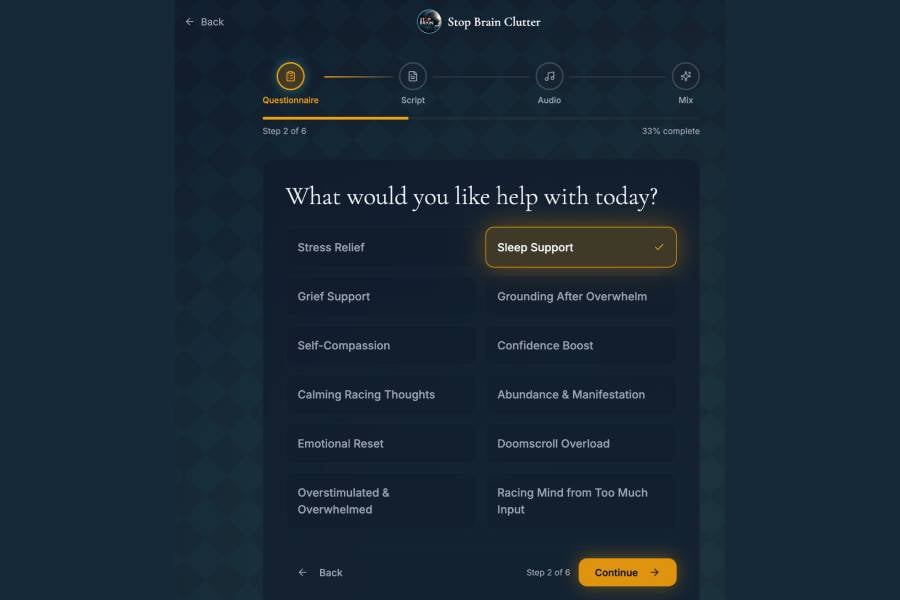
I chose Sleep Support, although I don’t usually need help sleeping. I wanted a straightforward subject that would make the resulting meditation relatively easy to assess.
The next question asks what direction feels right.
The choices are Calm, Reframe and Empower.
I chose Calm.
The Questions Become More Personal
Stop Brain Clutter then moves beyond menu choices and starts asking for personal input.
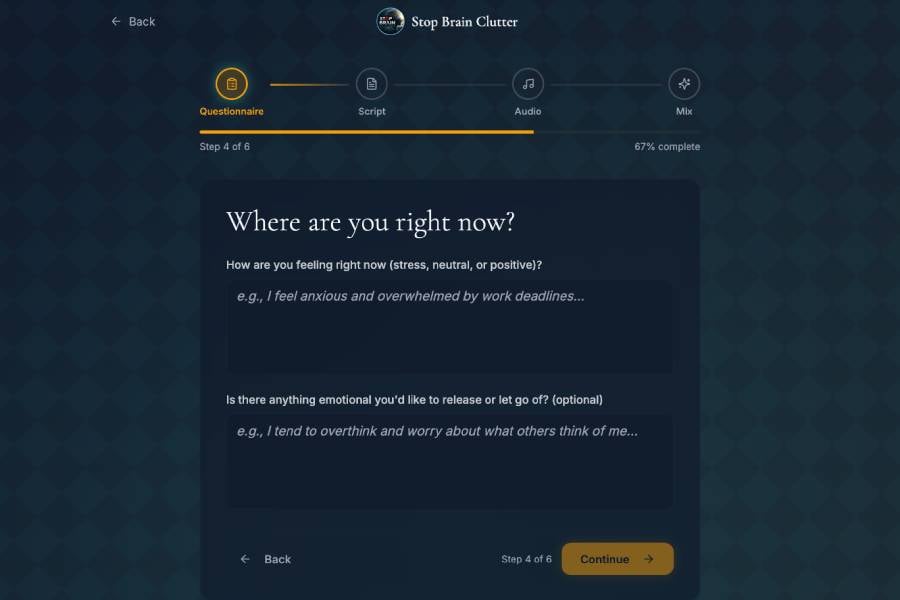
It asks how I’m feeling at that moment. I entered:
“I feel mentally busy after a long day and would like to wind down before sleep.”
The next box asks whether there is anything emotional I would like to release or let go of.
I entered:
“I’d like to let go of unfinished tasks and stop thinking about tomorrow for a while.”
Another question asks how I want to feel after the meditation.
I chose a simple goal: calm, mentally quiet and ready to sleep.
This is where the process starts to feel significantly different from choosing a generic meditation by category.
I’m telling the app where I am mentally, what’s occupying my thoughts and where I’d like the session to take me.
I Choose the Length and Tone
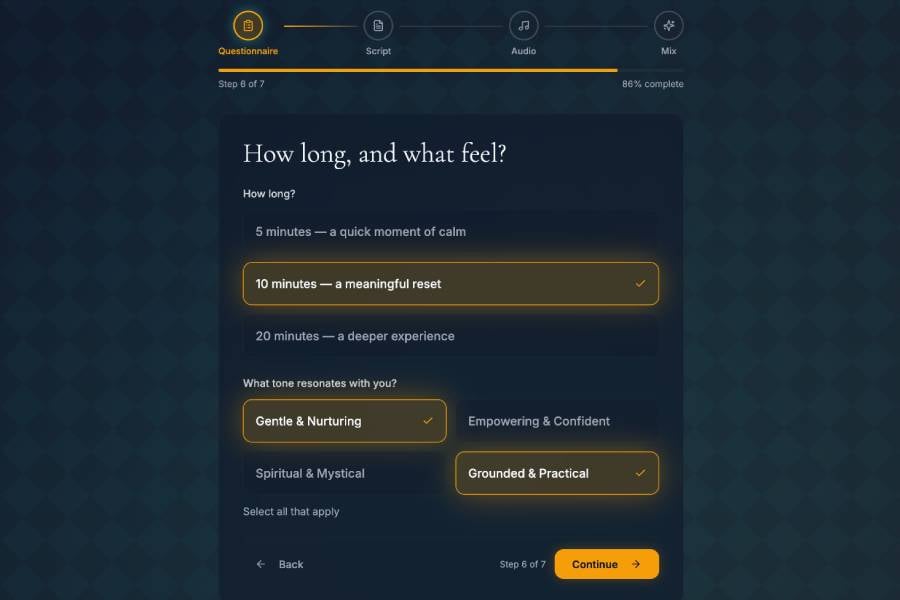
Stop Brain Clutter next asks how long I want the meditation to run.
The choices are five, 10 or 20 minutes.
I chose 10 minutes.
It also lets me choose the tone.
Available options include Gentle & Nurturing, Empowering & Confident, Spiritual & Mystical, and Grounded & Practical.
More than one can be selected.
For this test I chose Gentle & Nurturing and Grounded & Practical.
That combination seemed appropriate for a sleep meditation. It also avoided adding spiritual language that could make it harder to judge how closely the finished script followed my input.
An Optional Question Goes Deeper
The final questionnaire stage offers an optional opportunity to go deeper.
It asks whether there are old beliefs from the past that I would like to let go of.
I didn’t want to invent a personal issue simply for the test, so I left it empty.
The onboarding had a small interface issue when I tested it in October, but it didn’t affect the underlying personalization process I wanted to assess.
Stop Brain Clutter Generates the Script First
Once I completed the process successfully, Stop Brain Clutter began generating my meditation.
Importantly, it didn’t immediately move me to a finished audio recording.
It showed me the script first.
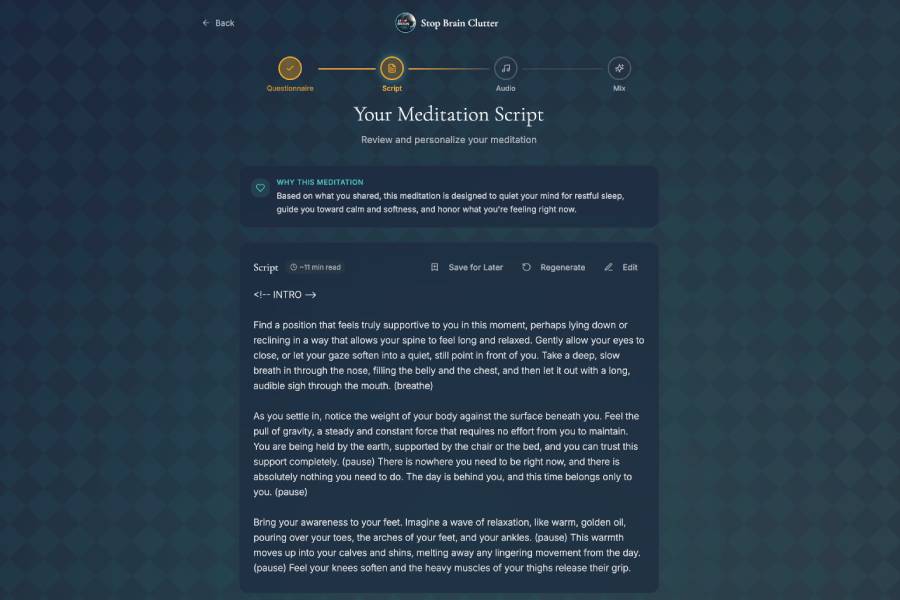
The resulting meditation was estimated at about 11 minutes, close to the 10-minute duration I chose.
The app also explained why it created that particular meditation. It said the session was designed around what I told it, including quieting my mind for restful sleep and moving toward calm.
The language in the script matched the general direction I chose.
It encouraged me to leave the day behind, relax physically and move away from the mental activity I described in my answers.
I Can Change the Script Before Creating Audio
This may be one of the more important parts of the Stop Brain Clutter system.
I don’t have to accept whatever the system generates.
I can review the script before moving on to audio.
The app gives me options to edit it, regenerate it, refine it or save it for later.
There is also a section for further refinement if the first result doesn’t quite match what I want.
That gives me a chance to change wording I dislike or adjust the direction before proceeding.
Here’s what the process looks like:
I describe what is going on → Stop Brain Clutter generates a script → I review it → I move on to creating the audio.
That is more interesting to me than completely automated generation because I retain control over the words first.
Stop Brain Clutter Keeps a Wellness Boundary
The app also makes its intended purpose clear.
It describes Stop Brain Clutter as a general-wellness product rather than medical, psychological or therapeutic care.
During the process, I’m asked to acknowledge that the generated material is for personal wellness and does not replace professional care.
That is important.
Some available topics involve subjects such as grief, stress, sleep and emotional wellbeing. An app working in those areas shouldn’t present itself as a substitute for medical or psychological treatment.
Stop Brain Clutter doesn’t do that.
Its disclaimer keeps that boundary visible.
What I Think Stop Brain Clutter Gets Right
The most interesting part of Stop Brain Clutter is not simply that software can generate a meditation script.
It is the personalization process that happens before that.
I tell the app what I want help with.
I tell it how I feel.
I describe what I want to put aside.
I say how I want to feel afterward.
Then I choose the duration and tone.
Only then does it create something.
And before it turns that material into audio, I get to read and edit the result.
The developers did a great job turning a fairly complex personalization process into something that feels simple to use.
The underlying idea works.
Stop Brain Clutter does not begin by asking me which meditation I want to hear.
It begins by asking what’s going on with me.
